Alternate Selector | RPG Maker MZ Plugin
A downloadable tool
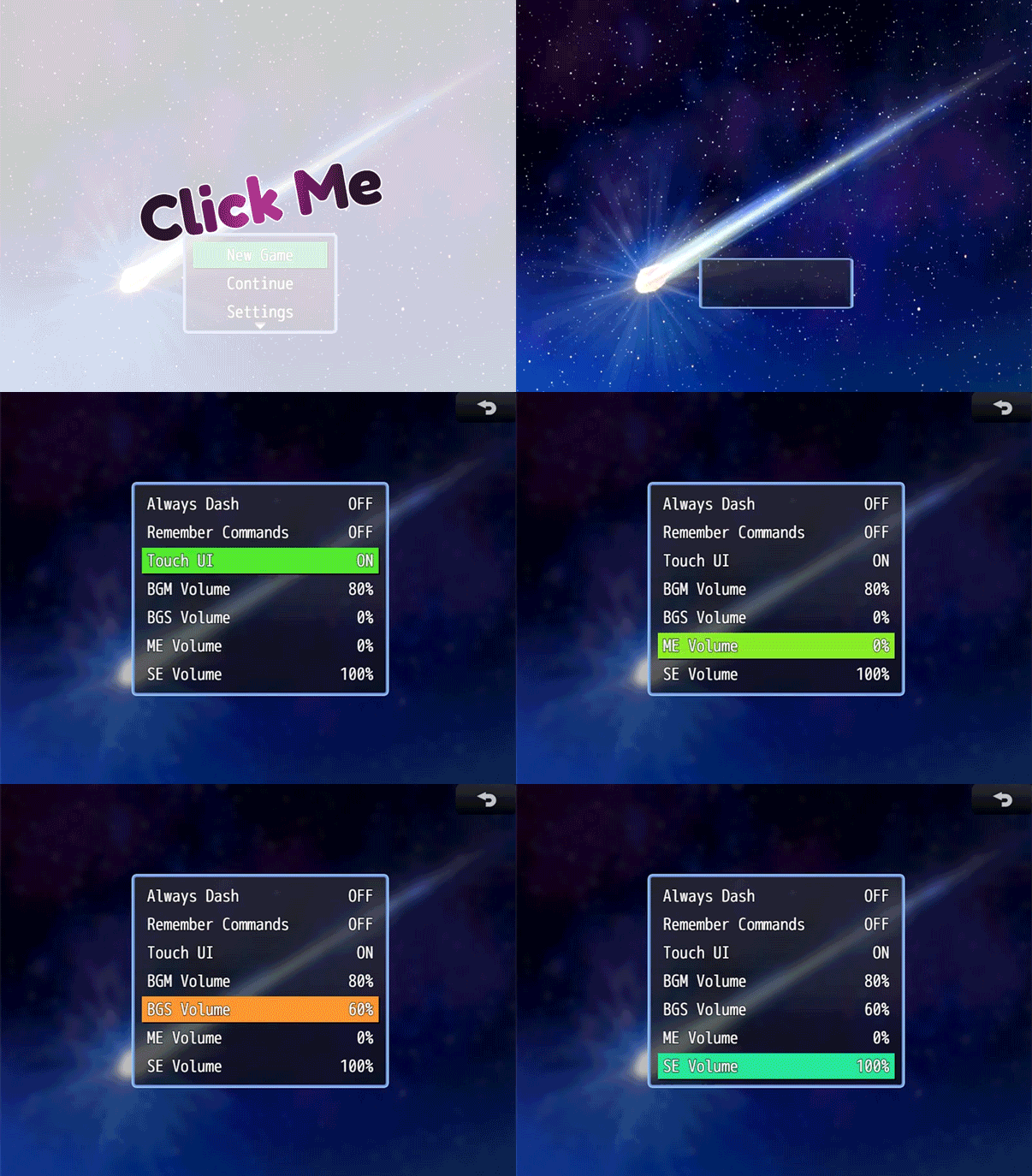
Dracky Alternate Selectors replaces or enhances the default RPG Maker MZ cursor with smooth, animated visual effects. Add pulsing glows, animated borders, rainbow colors, or gradient highlights to your menu selections for a modern, polished look.
Note: This plugin is not compatible with my Cursor Slide plugin.

Key Features
✨ Six Visual Styles
- Rectangle - Full background highlight
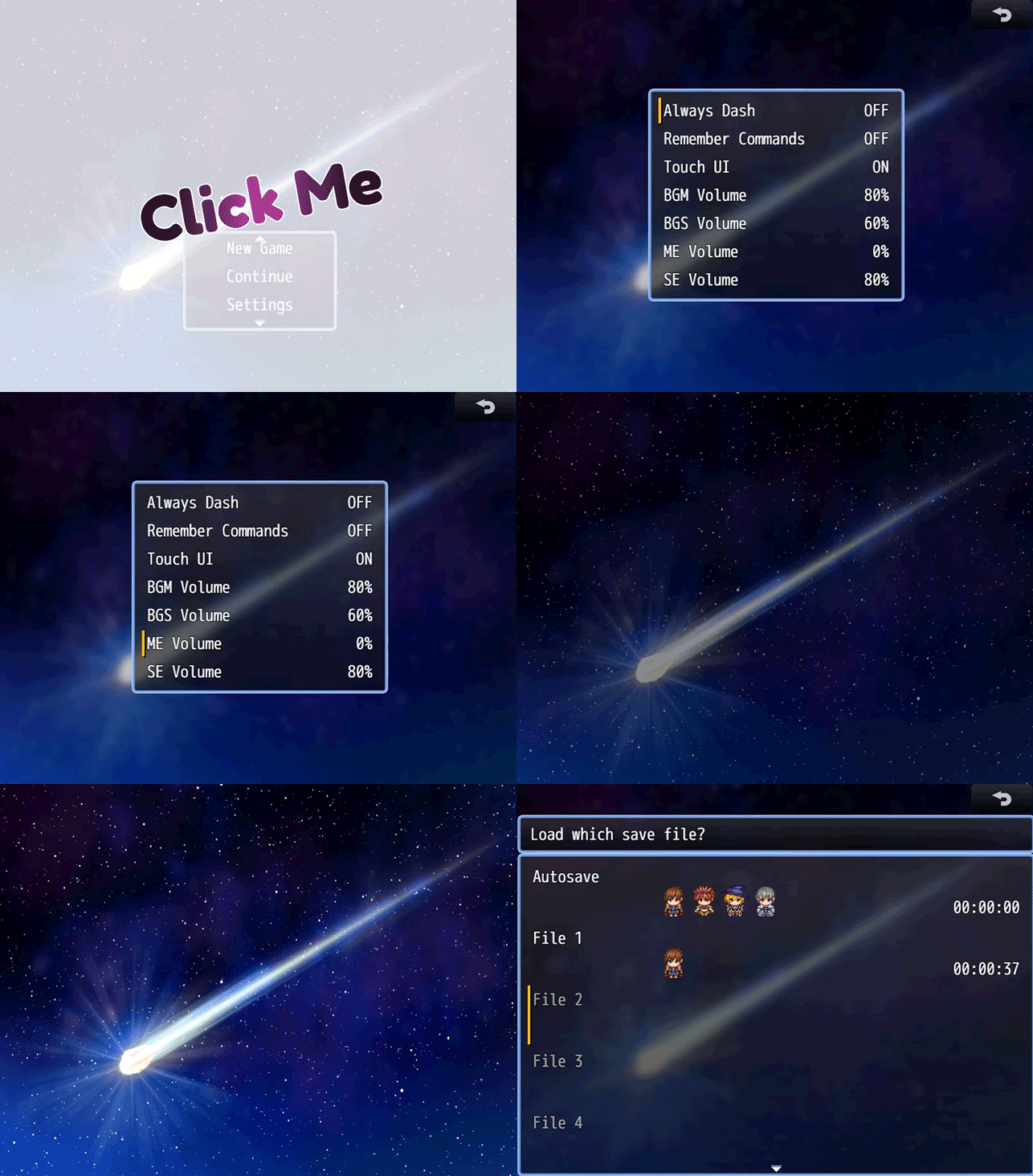
- Side Line - Vertical accent on the left edge
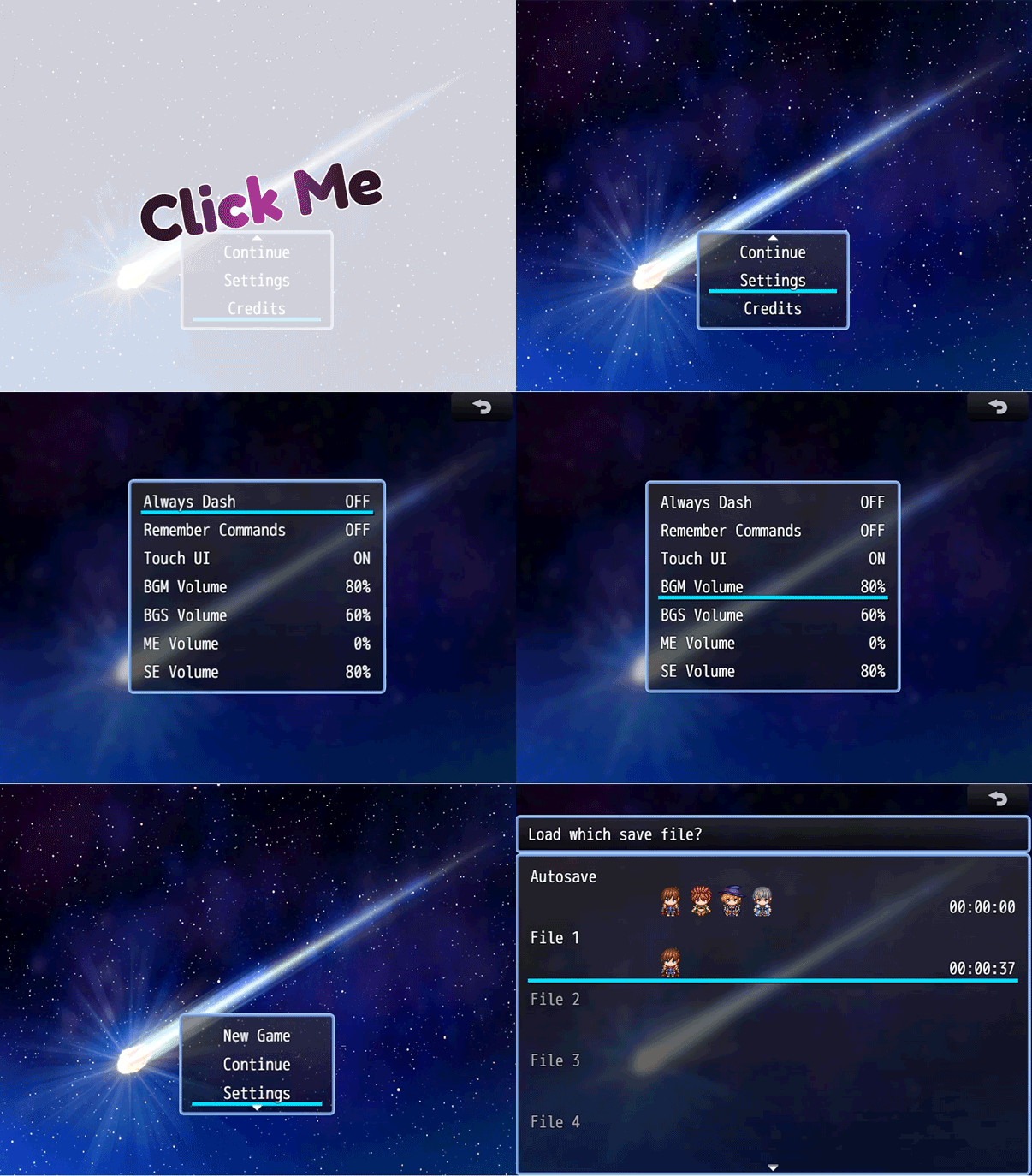
- Underline - Horizontal line beneath the selection
- Border - Outline around the selection
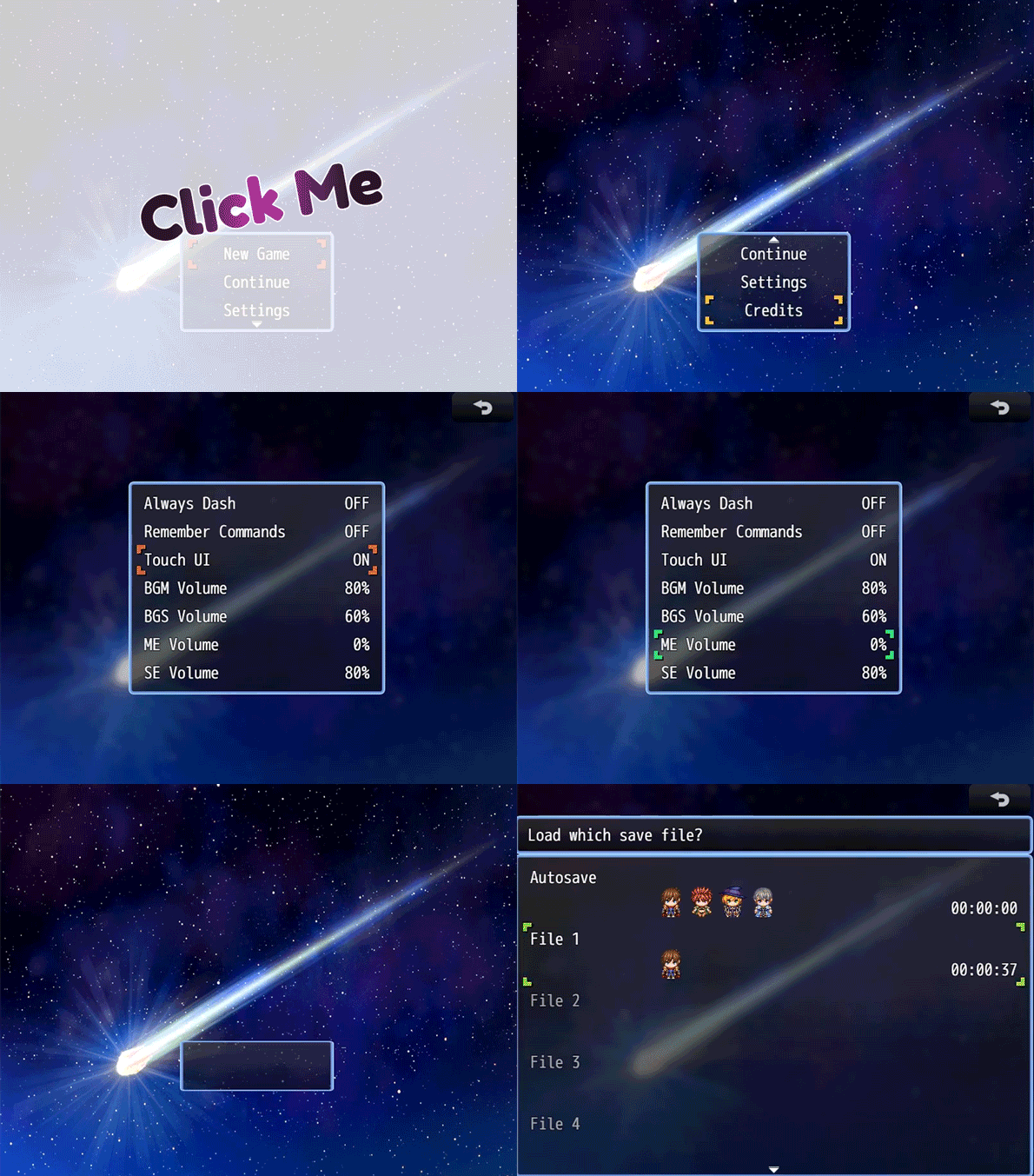
- Corner Brackets - Brackets at the four corners
- Gradient Fade - Horizontal color gradient
🎬 Six Animation Types
- Pulse - Simple fade in/out
- Wave - Smooth sine wave motion
- Breathe - Slower, calming pulse
- Flash - Quick blinking effect
- Rainbow - Cycles through spectrum colors
- Slide - Highlight slides left to right
⚙️ Fully Customizable
- Customizable primary and secondary colors
- Adjustable minimum and maximum opacity (0-255)
- Configurable animation speed (0.01-10.00)
- Adjustable effect thickness (1-20 pixels)
- 4 blend modes (Normal, Add, Multiply, Screen)
🎨 Optional Shadow Effects
- Enable shadows to add depth
- Customizable shadow color
- Adjustable X and Y offsets (-20 to 20 pixels)
🎮 Fine Control
- Hide default RPG Maker cursor (optional)
- Hide default item background (optional)
- Scene-specific control (menus and message choices separately)
- Debug mode for troubleshooting
Plugin Parameters
Basic Settings
Enable Selector Effect
- Default: ON
- Master switch to enable or disable the effect entirely
Visual Settings
Selector Style
- Default: Rectangle
- Choose the visual appearance of the selector
- Options: Rectangle, Side Line, Underline, Border, Corner Brackets, Gradient Fade
Selector Color
- Default:
<span class="inline-block w-3 h-3 border-[0.5px] border-border-200 rounded flex-shrink-0 shadow-sm mr-1 align-middle"></span>#4488ff(blue) - Primary color for the selector effect
- Accepts hex (
#RRGGBB) orrgba(R,G,B,A)format
Secondary Color
- Default:
<span class="inline-block w-3 h-3 border-[0.5px] border-border-200 rounded flex-shrink-0 shadow-sm mr-1 align-middle"></span>#ff44ff(magenta) - Used for gradient styles and dual-color effects
Effect Thickness
- Default: 4 px
- Range: 1-20
- Thickness of lines, borders, and underlines
Blend Mode
- Default: Normal
- Options: Normal, Add, Multiply, Screen
- Controls how the selector blends visually
Animation Settings
Animation Type
- Default: Wave
- Choose how the selector animates
- Options: Pulse, Wave, Breathe, Flash, Rainbow, Slide
Animation Speed
- Default: 0.05
- Range: 0.01-10.00
- Controls animation speed. Higher = faster
Min Opacity
- Default: 60
- Range: 0-255
- Minimum opacity during animation
Max Opacity
- Default: 120
- Range: 0-255
- Maximum opacity during animation
Display Settings
Hide Item Background
- Default: OFF
- Removes the default selection background
Shadow Effect
Enable Shadow
- Default: OFF
- Adds a shadow below the selector
Shadow Color
- Default:
<span class="inline-block w-3 h-3 border-[0.5px] border-border-200 rounded flex-shrink-0 shadow-sm mr-1 align-middle"></span>#000000(black)
Shadow Offset X / Y
- Default: 2 px
- Range: -20 to 20
- Horizontal and vertical shadow offset
Scene Control
Enable in Message Choices
- Default: ON
- Applies the effect to message choice windows
Enable in Menus
- Default: ON
- Applies the effect to menu windows (items, skills, equipment, etc.)
Debug
- Default: OFF
- Enables console logging for troubleshooting
Purchase
In order to download this tool you must purchase it at or above the minimum price of $5 USD. You will get access to the following files: