Memory Game | RPG Maker MV/MZ Plugin
A downloadable tool
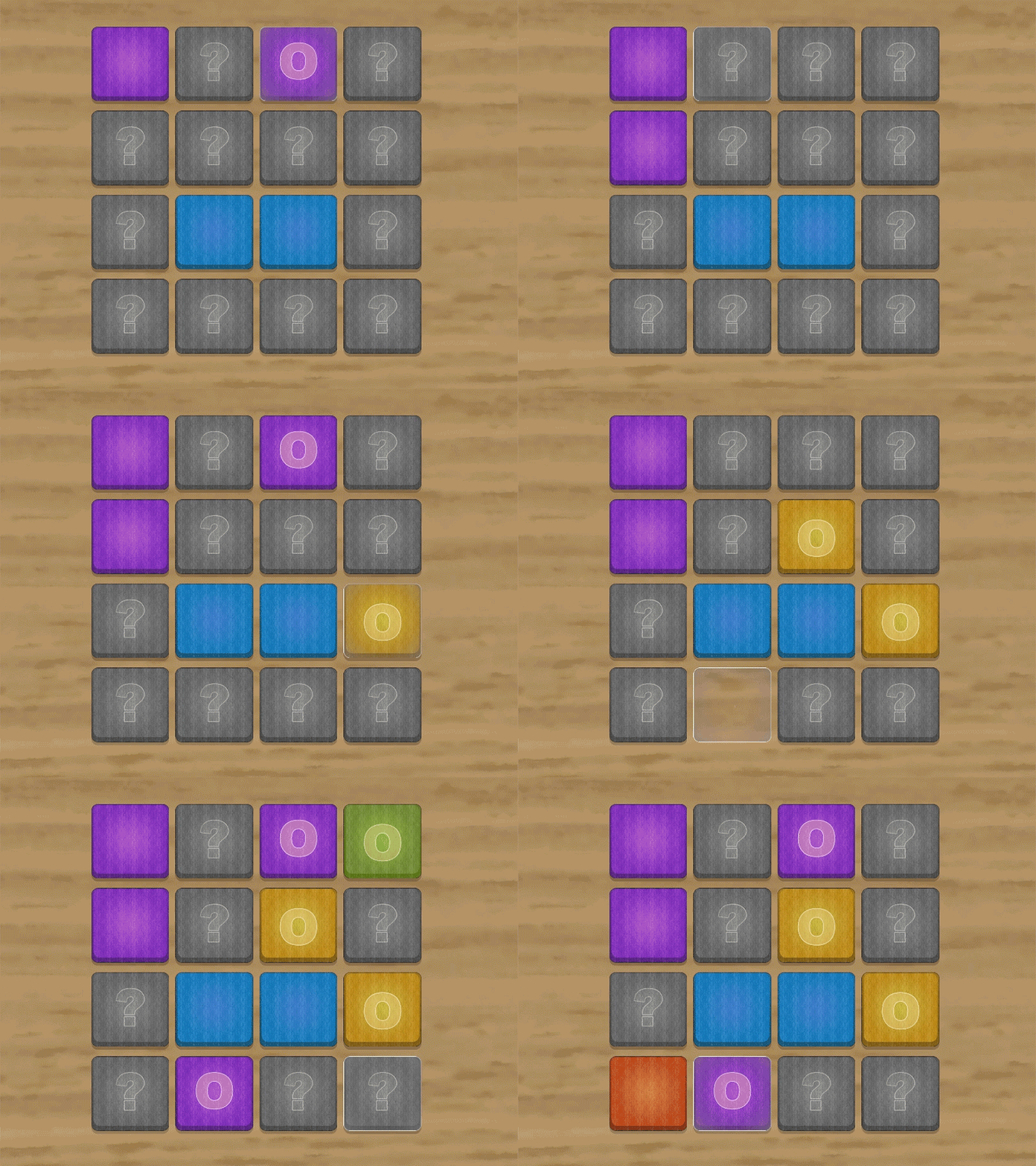
Memory Game adds a classic card-matching minigame to your RPG Maker project.
Players flip two cards at a time, trying to find all matching pairs.
The plugin features smooth flip animations, customizable difficulty, a scoring system, and support for both keyboard and mouse controls.

Features
-
Classic memory card-matching gameplay
-
Fully animated card flips
-
Customizable grid sizes (3x4, 4x4, 5x4, etc.)
-
Optional move limits and time constraints
-
Scoring system with points and penalties
-
Mouse and keyboard controls
-
Sound effects for all actions
-
Variable and switch integration for game logic
-
Compatible with RPG Maker MV and MZ
Installation
Step 1: Install the Plugin
-
Download
dracky_memogame.js -
Place it in your project’s
js/pluginsfolder -
Open the Plugin Manager in RPG Maker
-
Add the plugin to your project
Step 2: Prepare Graphics
Create the following image files and place them in img/pictures/:
Required Files
-
card_back.png— Back of all cards (256×256 px) -
card_front_01.pngtocard_front_12.png— Card faces (256×256 px) -
card_selector.png— Selection indicator (256×256 px) -
card_bg.png— Background image (optional, fullscreen)
Note:
You must have at least as many card_front images as there are card pairs.
Example: A 4×4 grid (16 cards = 8 pairs) requires at least card_front_01 to card_front_08.
Plugin Parameters
Visual Settings
Card Size
-
Default: 256 px
-
Range: 64–512
-
Size of each card. Automatically scales if needed.
Card Spacing
-
Default: 10 px
-
Range: 0–50
-
Space between cards.
Flip Animation Speed
-
Default: 10 frames
-
Range: 5–30
-
Lower = faster flip, higher = smoother flip.
Mismatch Delay
-
Default: 60 frames (1 second)
-
Range: 30–180
-
Time mismatched cards remain visible.
Scoring Settings
Points per Match
-
Default: 100
-
Points awarded for a matching pair.
Mismatch Penalty
-
Default: -10
-
Points deducted on mismatch.
Sound Effects
Configure sound effects for:
-
Flip — When flipping a card
-
Match — When cards match
-
Mismatch — When cards don’t match
-
Success — Puzzle completed
-
Fail — Puzzle failed
-
Move Cursor — Keyboard navigation
Debug Mode
Debug
-
Default: OFF
-
Enables console logging.
How to Use
Plugin Commands (RPG Maker MZ)
Use the plugin command interface:
Classic Mode Parameters
-
Grid Size — Format:
4x4,3x4,5x4, etc. -
Max Moves — 0 = unlimited
-
Time Limit — In seconds, 0 = unlimited
-
Success Switch — Turned ON on success
-
Fail Switch — Turned ON on failure
-
Score Variable — Stores final score
-
Moves Variable — Stores move count
Plugin Commands (RPG Maker MV)
Use a Script Call:
MemoGame classic [gridSize] [maxMoves] [timeLimit] [successSwitch] [failSwitch] [scoreVar] [movesVar]
Example
MemoGame classic 4x4 30 120 10 11 25 26
Creates a 4×4 grid, 30-move limit, 120-second limit, using switches 10–11 and variables 25–26.
Gameplay
Objective
Match all pairs of cards to complete the puzzle.
Rules
-
Cards start face-down
-
Flip one card
-
Flip a second card
-
If they match, they stay face-up and score points
-
If they don’t match, they flip back after a delay
-
Repeat until all pairs are found
Controls
Keyboard
-
Arrow Keys — Move cursor
-
Enter / Z — Flip card
-
Escape / X — Exit minigame
Mouse
-
Click — Flip card
Purchase
In order to download this tool you must purchase it at or above the minimum price of $5 USD. You will get access to the following files: