Pulse Timing Ring | RPG Maker MV/MZ
A downloadable tool
Pulse Timing Ring
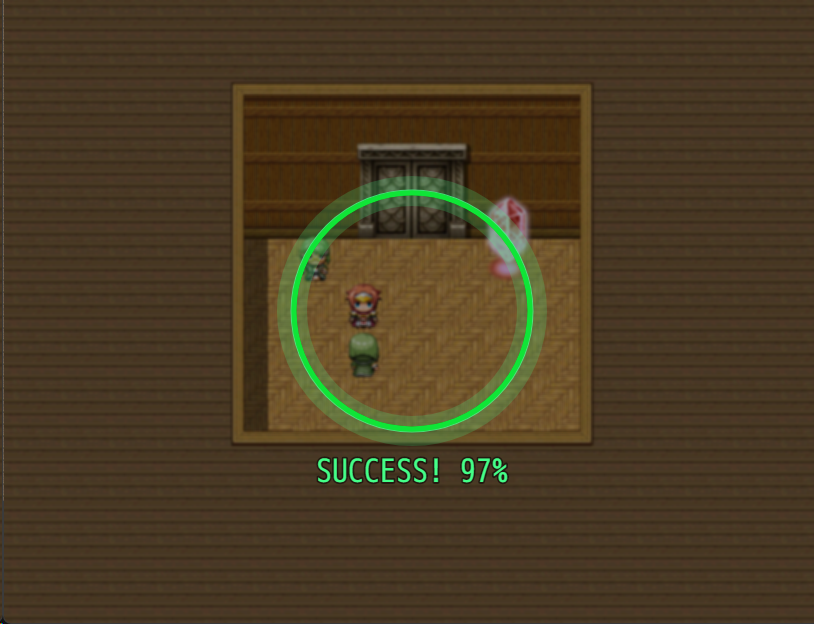
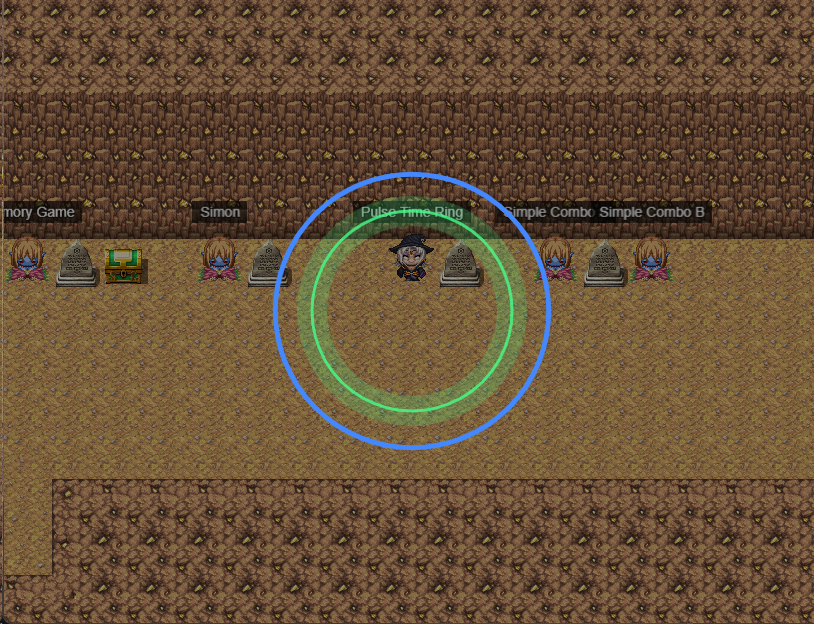
Pulse Timing Ring adds a timing-based minigame to RPG Maker MV/MZ. A ring continuously expands and contracts, and the player must press a button when it aligns with a target zone.
The plugin includes precision scoring, visual success/fail feedback, sound effects, and extensive customization per command call.

Features
Smooth pulsing ring animation
Precision scoring system (0–100%)
Customizable difficulty per command
Visual success and fail feedback
Sound effects for results
Mouse and keyboard controls
Switch and variable integration
Optional cancel support
Compatible with RPG Maker MV and MZ
How It Works
Gameplay Flow
A ring pulses from small to large continuously
A colored target zone shows the “sweet spot”
The player presses OK when the ring matches the target
Precision is calculated based on alignment
Results are stored in variables and switches
Scoring
Perfect (100%) — Exact alignment
Good (80–99%) — Very close
OK (60–79%) — Within tolerance
Miss (0–59%) — Outside tolerance
Success and Fail
Success — Ring is within tolerance of the target
Fail — Ring is outside the tolerance range
Plugin Commands
RPG Maker MZ
Use the Start Pulse Ring plugin command.
Timing Settings
-
Pulse Speed — Animation speed (default: 0.03)
Lower = slower and easier
Higher = faster and harder
Min Radius — Smallest ring size (default: 50)
Max Radius — Largest ring size (default: 150)
Target Settings
Sweet Spot — Target radius (default: 100)
Tolerance — Success range (default: 15)
Result Settings
Result Variable — Stores precision (0–100)
Success Switch — Turned ON on success
Fail Switch — Turned ON on failure
Visual Settings
Ring Color — CSS color (default:
#4488ff)Sweet Spot Color — CSS color (default:
#44ff88)Ring Thickness — Line width (default: 5)
Background Settings
-
Background Type — Snapshot, Blur, or Black
snapshot— Shows the mapblur— Blurred mapblack— Black background
Dim Opacity — Darkness level (0–255)
Sound Settings
Success SE — Sound played on success
Fail SE — Sound played on failure
Other
Allow Cancel — Allows exiting with ESC
RPG Maker MV
In RPG Maker MV, the minigame is started using a Plugin Command.
Basic Usage
PulseRing start
Starts the minigame using the default settings.
Custom Parameters (MV)
You can customize the minigame by adding parameters after PulseRing start using the format:
parameterName=value
Only the parameters you specify will be overridden. All other parameters will use their default values.
Examples
Store the precision result in Variable 25 instead of the default variable:
PulseRing start resultVar=25
Change speed, tolerance, and result variable:
PulseRing start speed=0.05 tolerance=20 resultVar=25
You can combine as many parameters as needed in a single command.
Available Parameters (MV)
speed — Ring animation speed
minRadius — Minimum ring size
maxRadius — Maximum ring size
sweetSpot — Target radius
-
tolerance — Success range
Lower values = harder
Higher values = easier
resultVar — Variable that stores precision (0–100)
successSwitch — Switch turned ON on success
failSwitch — Switch turned ON on failure
ringColor — Ring color (CSS format)
targetColor — Sweet spot color (CSS format)
-
background — Background type
snapshot— Shows the mapblur— Blurred mapblack— Black background
allowCancel — Allows exiting with ESC (
true/false)successSE — Sound effect played on success
failSE — Sound effect played on failure
Controls
Enter / OK / Z — Stop the ring and evaluate timing
Escape / X — Exit minigame (if enabled)
Mouse Click — Same as OK
Example Uses
Fishing Minigame
Slower pulse speed
Large tolerance
Result controls fish quality or rarity
Lockpicking
Faster pulse speed
Tight tolerance
Success opens locks, failure consumes tools
Crafting Quality Check
Precision score determines item quality
Higher accuracy yields better results
Purchase
In order to download this tool you must purchase it at or above the minimum price of $5 USD. You will get access to the following files: